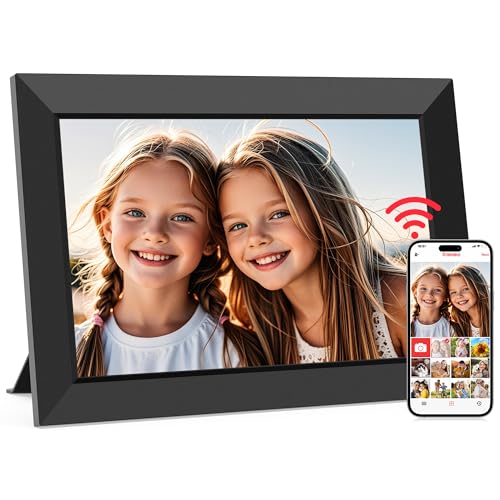
Updated April 2026 — New frames reviewed

Best Digital Picture Frames 2026

We researched and compared every major digital picture frame on the market. Below is our ranked list for 2026, based on screen quality, app experience, storage, price, and real-world usability. Whether you want a premium frame for your living room or a budget pick under $100, we have a recommendation for you.

Quick Comparison

FramePriceScreenResolutionWiFiTouchStorageRatingLink
Aura Mason Luxe$179.999.7"2048x1536Unlimited
4.7
Check Price
Aura Carver$159.9910.1"1920x1200Unlimited
4.6
Check Price
Aura Walden$149.9915"1920x1080Unlimited
4.5
Check Price
Nixplay 10.1" Smart Frame$159.9910.1"1280x80010 GB free, then paid plans
4.4
Check Price
Nixplay 15.6" Smart Frame$249.9915.6"1920x108010 GB free, then paid plans
4.3
Check Price
Skylight Frame 10"$159.9910"1280x800Basic free, Plus plan $39/year
4.5
Check Price
Skylight Frame 15"$249.9915"1920x1080Basic free, Plus plan $39/year
4.4
Check Price
Pix-Star 10" WiFi$129.9910"1024x768Free cloud storage included
4.3
Check Price
Pix-Star 15" WiFi$179.9915"1024x768Free cloud storage included
4.2
Check Price
Dragon Touch Classic 10"$99.9910"1280x8005 GB free
4.1
Check Price
Brookstone PhotoShare 10.1"$119.9910.1"1280x800Free with app
4.2
Check Price
Meural Canvas II by Netgear$399.9921.5"1920x10804 GB free, membership for art library
4.4
Check Price
Aluratek 10" WiFi$89.9910"1280x80016 GB built-in storage
4
Check Price
Feelcare 10" Smart Frame$109.9910"1280x800Free through app
4.1
Check Price
Frameo 10.1"$79.9910.1"1280x80016 GB built-in storage
4
Check Price

Top 10 Ranked

Our Top Pick
1
Aura Mason Luxe

Aura · 9.7" · 2048x1536

4.7
$179.99

The Aura Mason Luxe has the sharpest screen of any frame in its class. The 9.7-inch display packs more pixels than most laptops. Unlimited free cloud storage means no surprise fees. Auto-brightness adjusts to your room lighting. If you want the best photo quality under $200, this is the one. No touchscreen, but the app handles everything smoothly.

2
Aura Carver

Aura · 10.1" · 1920x1200

4.6
$159.99

The Aura Carver is a solid widescreen frame with a clever trick: it puts two portrait photos side by side to fill the screen. The 1920 by 1200 display is sharp and colorful. Free unlimited storage is a big plus. The only gap is video playback, which is not supported. For photo-only slideshows, the Carver delivers.

3
Aura Walden

Aura · 15" · 1920x1080

4.5
$149.99

The best value in large frames. The Aura Walden gives you a 15-inch Full HD screen for $150. That is cheaper than most 15-inch competitors. Wall mount hardware is included. Free unlimited storage keeps costs at zero after purchase. If you want a big frame without a big subscription, start here.

4
Nixplay 10.1" Smart Frame

Nixplay · 10.1" · 1280x800

4.4
$159.99

Nixplay is the frame for video lovers. It plays short clips with sound, which Aura and Skylight cannot do on their basic plans. Google Photos, Facebook, Instagram, and Dropbox all connect through the app. The tradeoff is storage: you get 10 GB free, then pay for more. Screen resolution is lower than Aura at the same price.

5
Nixplay 15.6" Smart Frame

Nixplay · 15.6" · 1920x1080

4.3
$249.99

The biggest Nixplay with a Full HD screen. Video playback and social media connections shine on this 15.6-inch display. Wall mount works in landscape and portrait. But at $250, it is pricier than the Aura Walden and still charges for extra storage. Best for people who need video on a large screen.

6
Skylight Frame 10"

Skylight · 10" · 1280x800

4.5
$159.99

The easiest frame to use. Period. The Skylight lets anyone send photos by email. No app needed. The touchscreen is responsive and the heart button lets recipients react with one tap. Screen quality is average at 1280 by 800, but the simplicity is unmatched. Best gift for grandparents and non-tech users.

7
Skylight Frame 15"

Skylight · 15" · 1920x1080

4.4
$249.99

Everything good about the Skylight 10, but bigger. The 15-inch Full HD touchscreen is easy to see from across a room. Email photo sending works the same way. Wall mounting hardware is included. The price and subscription for premium features are the main drawbacks.

8
Pix-Star 10" WiFi

Pix-Star · 10" · 1024x768

4.3
$129.99

The Pix-Star 10 packs the most features per dollar. Free cloud storage, email sharing, and connections to Google Photos, Facebook, Instagram, Flickr, and Dropbox. Built-in radio and games are nice bonuses. The 1024 by 768 screen is dated, but the value is hard to beat at $130.

9
Pix-Star 15" WiFi

Pix-Star · 15" · 1024x768

4.2
$179.99

Same feature set as the Pix-Star 10, but on a larger 15-inch screen. The problem is the same 1024 by 768 resolution. It looks noticeably soft at this size. If budget is your top priority for a large frame, it works. For sharper photos, spend more on the Aura Walden.

10
Dragon Touch Classic 10"

Dragon Touch · 10" · 1280x800

4.1
$99.99

The best frame under $100. WiFi, a touchscreen, USB and SD card slots, and a 1280 by 800 screen. The app is basic and the build quality is plastic, but the feature set punches above its weight. A smart buy for anyone on a tight budget who wants online and offline options.

What to Look for in a Digital Picture Frame

Screen Quality

Resolution matters more than screen size. A sharp 10-inch frame looks better than a blurry 15-inch frame. Look for at least 1280 by 800 pixels on 10-inch frames and 1920 by 1080 on 15-inch frames. IPS panels give you better viewing angles than TN panels.

Storage and Subscriptions

Some frames charge monthly for cloud storage. Others give it free. Aura offers unlimited free storage. Nixplay and Skylight charge for premium plans. If you do not want ongoing costs, pick a frame with free storage or one that loads from USB and SD cards.

App and Photo Sources

The app is how you control the frame. Good apps connect to Google Photos, iCloud, and social media. Bad apps are slow and buggy. Aura and Skylight have the best apps. Nixplay connects to the most photo sources.

WiFi vs Offline

WiFi frames let you send photos from anywhere. Offline frames load from USB drives or SD cards. Most people prefer WiFi for the convenience, but offline loading is useful as a backup or for locations without internet.

Touchscreen

A touchscreen makes the frame easier to use, especially for older users. Not all frames have touchscreens. Skylight, Dragon Touch, Aluratek, Brookstone, Feelcare, and Frameo frames all have touchscreens. Aura and Nixplay use app controls only.

Price

Budget frames start around $80. Most people are happy in the $130 to $180 range. Premium frames cost $200 to $400. Do not overspend on features you will not use. A $130 Pix-Star with free storage can be a better deal than a $250 frame with a paid subscription.

Common Questions